

Salla Odoo Integration App
The Naqlah app connects your Salla store to Odoo ERP. Orders, customers, payment methods and shipping options flow into Odoo automatically, products and stock stay matched by SKU, and invoices and payments follow the workflow rules you set. Built and supported in Saudi Arabia by an Odoo Gold Partner.
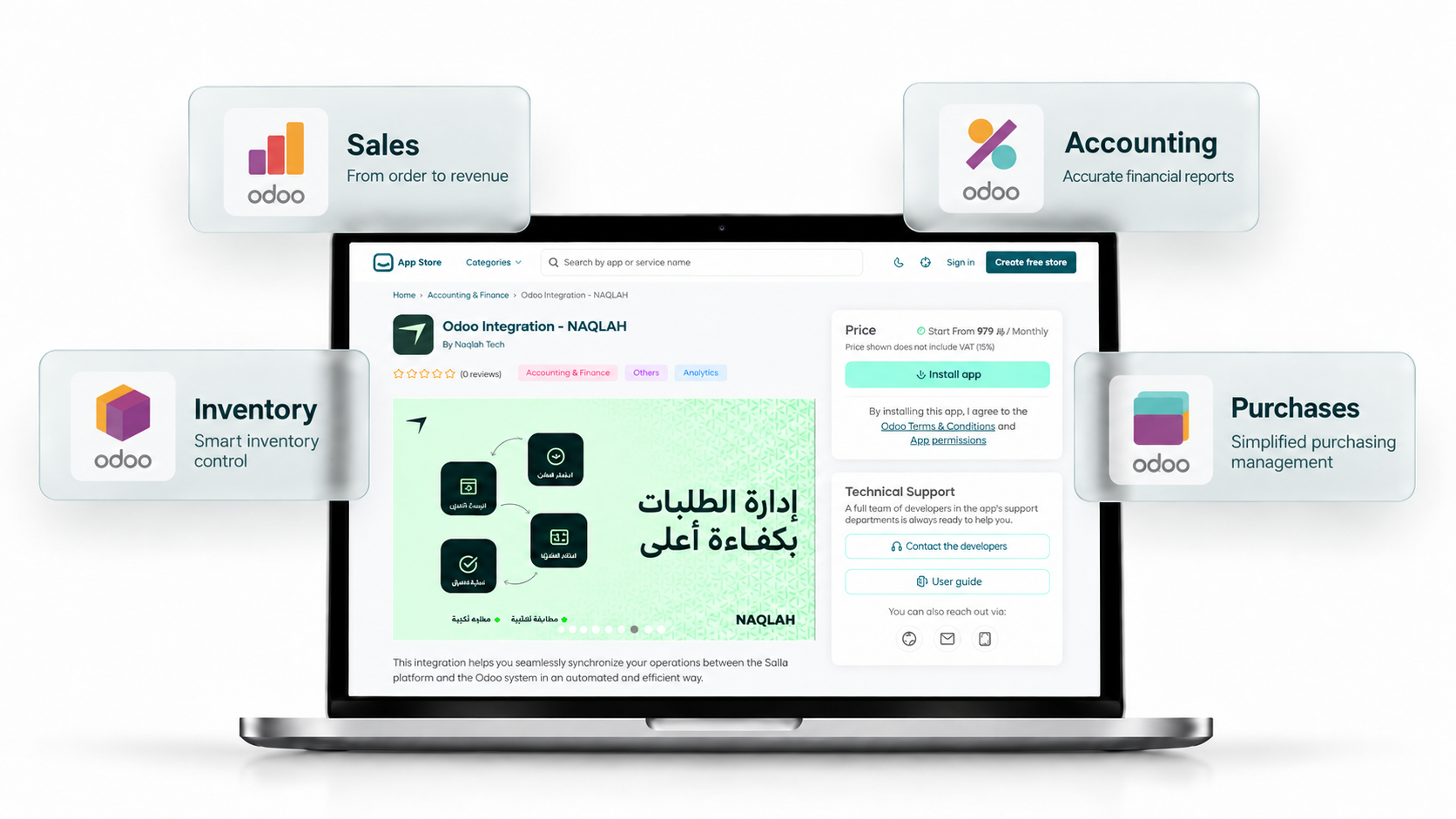
Gold
Official Odoo Gold Partner
70+
Odoo projects delivered
21
Certified Odoo experts
1,600+
Users trained
Everything your store and your ERP need to agree on
Each data type, the direction it moves, and how the app handles it.
| Data | Direction | How it works |
|---|---|---|
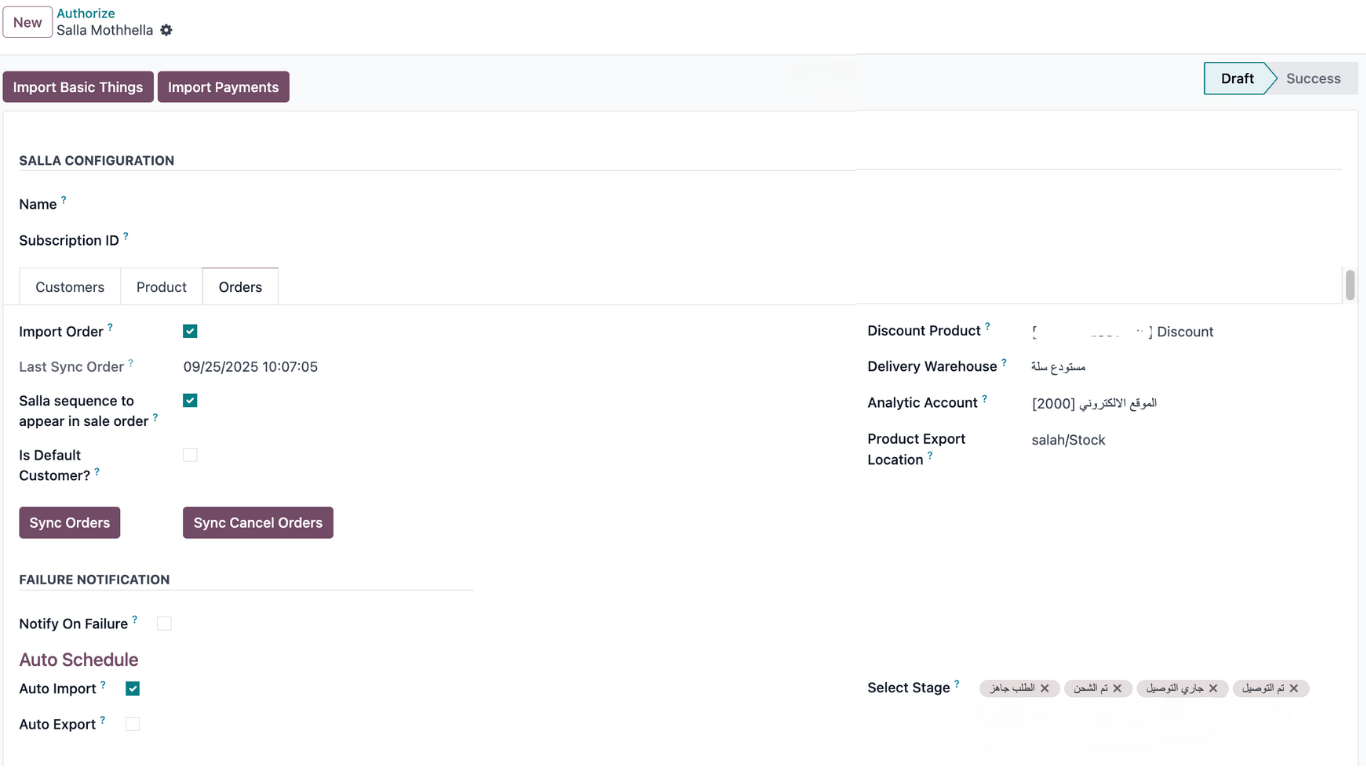
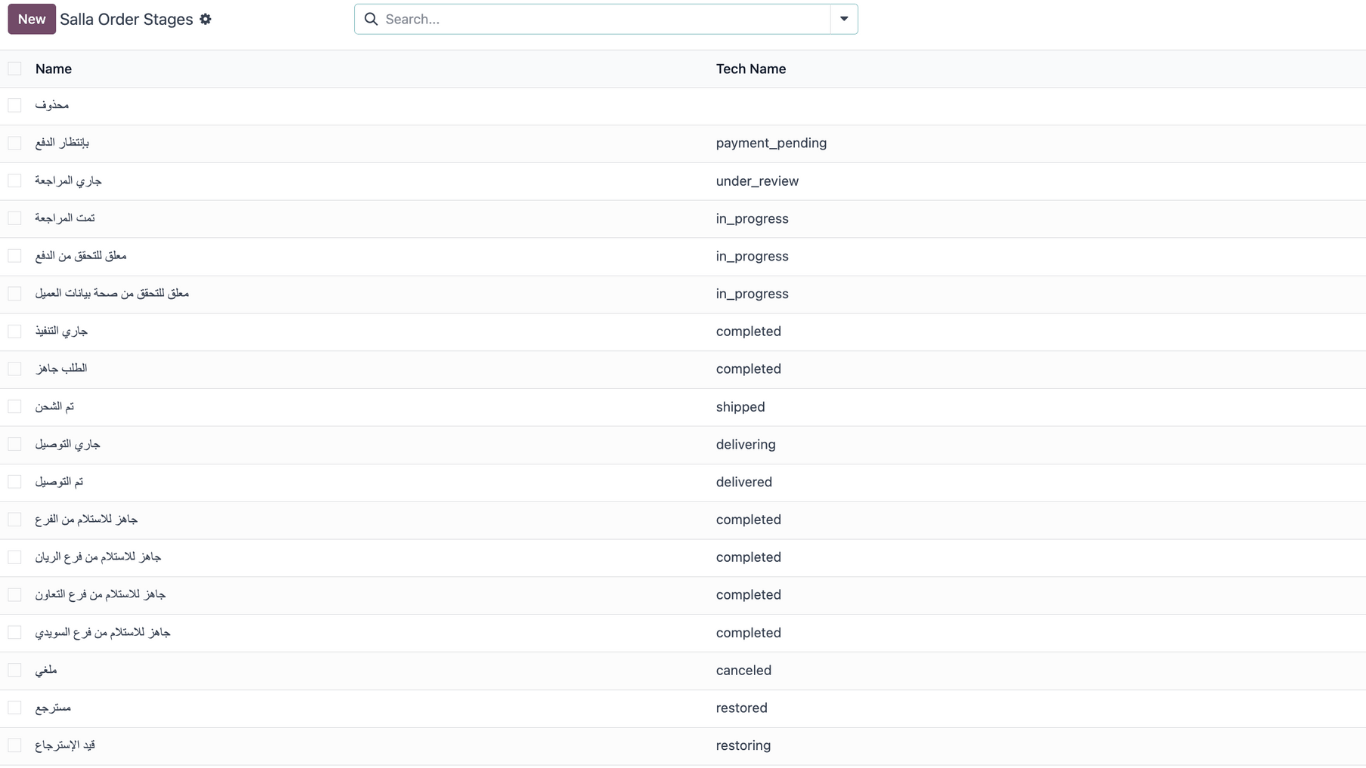
| Orders and order status | Salla → Odoo | Imported as sales orders, manually or on a schedule. Filter by date, status or order number. Salla order stages map to Odoo states. |
| Customers | Salla → Odoo | Full customer records with contact details, or a default customer per country if you prefer not to store individual buyers. |
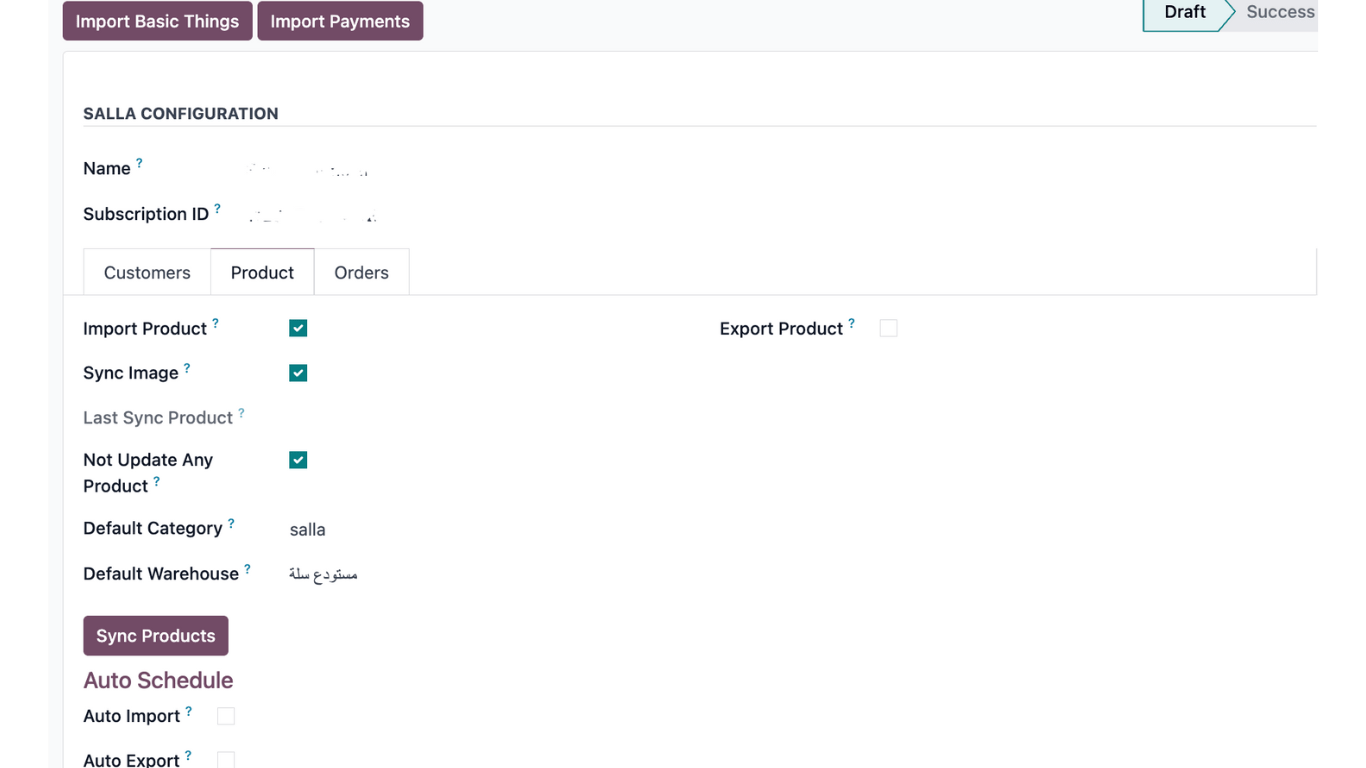
| Products and variants | Two-way | Matched by SKU. Import from Salla or export from Odoo, images included. A default category and warehouse are set per store. |
| Product categories | Salla → Odoo | Imported automatically during setup and kept in sync with new products. |
| Stock quantities | Odoo → Salla | Available quantity from the mapped warehouse is pushed to Salla so the storefront never oversells. |
| Payment methods | Salla → Odoo | Imported automatically (Mada, Apple Pay, Tamara, Tabby, STC Pay, COD and more) and mapped to Odoo payment journals. |
| Shipping options | Salla → Odoo | Imported and mapped to Odoo delivery methods, with a delivery warehouse per store. |
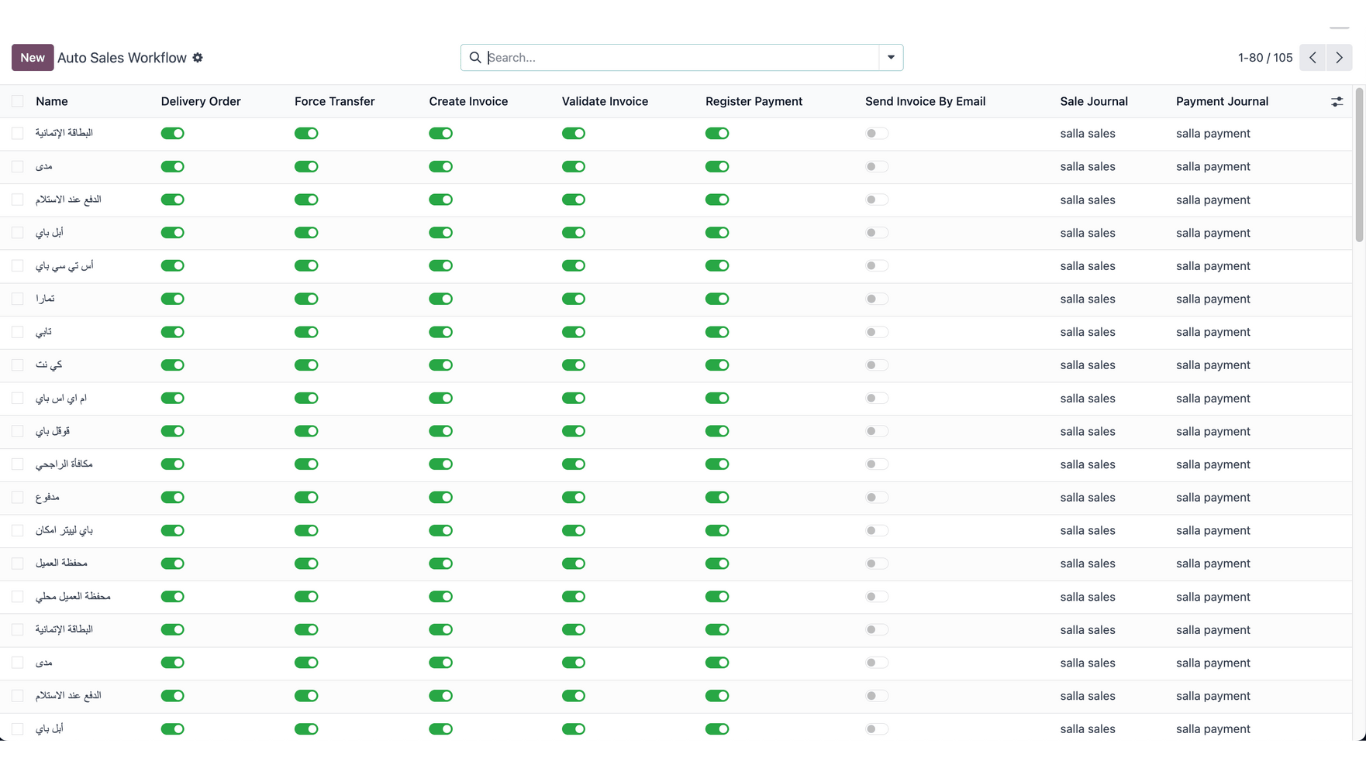
| Invoices and payments | Created in Odoo | Per order status, the workflow can confirm the order, create a draft or validated invoice, register payment and email the invoice. ZATCA e-invoicing runs through Odoo's Saudi localization. |
How to connect Salla to Odoo with the Naqlah app
Five steps, done from your Salla dashboard and your Odoo database. Most stores are live the same day.
Install from the Salla App Store
Open the listing, choose a plan and click Install. The app is added to your store.
Connect with official OAuth
Approve the connection once. Authentication renews automatically, no API keys to paste.
Import and map your store data
Payment methods, shipping options, categories and order stages are imported. Map them to journals, warehouses and products by SKU.
Set your workflow rules
Decide, per order status, when Odoo confirms the order, creates the invoice and registers payment.
Run the first import, then automate
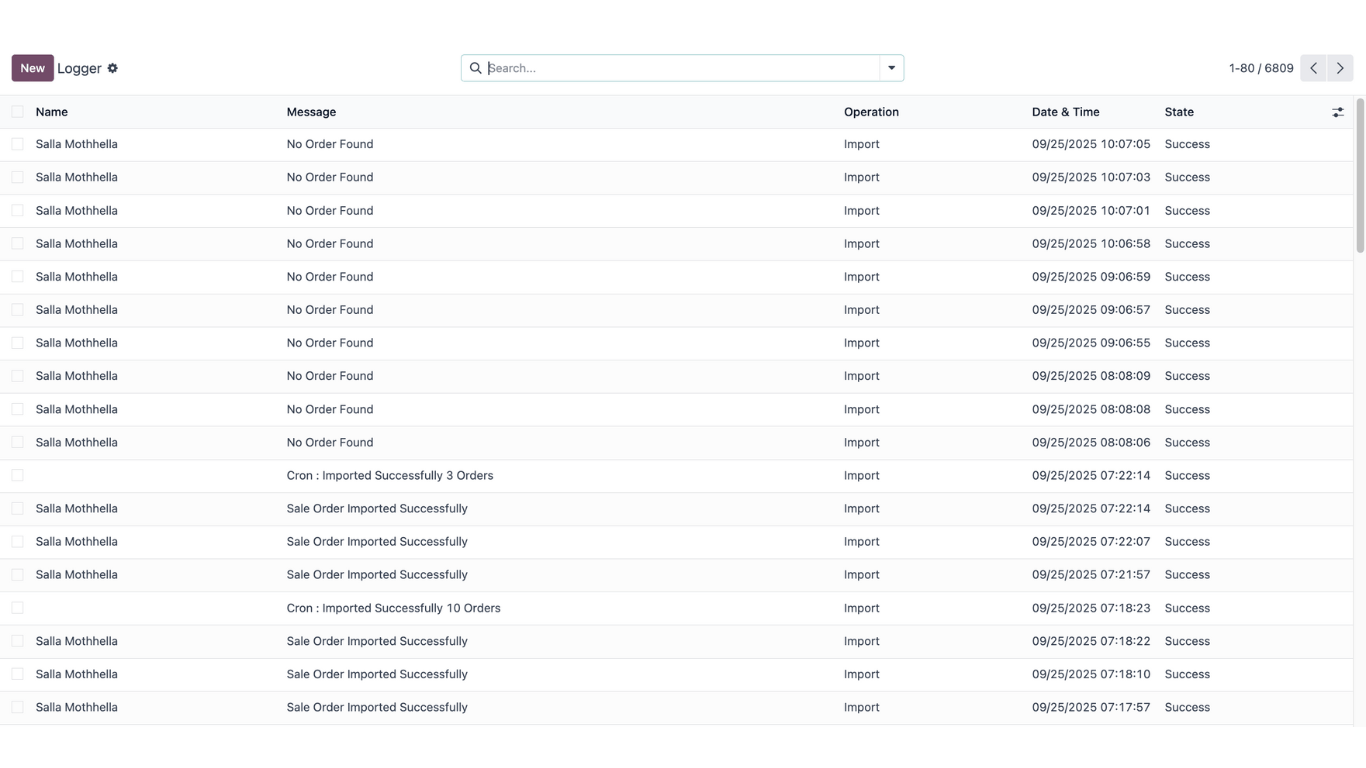
Import existing orders, check the sync log, then turn on auto-import and auto-export with failure alerts to your team.
What you see in Odoo once the store is connected

Built for Salla merchants who run the business on Odoo
Stores already on Odoo
You run accounting, inventory or sales in Odoo and want Salla orders in the same system without re-keying anything.
Growing stores moving to an ERP
Order volume has outgrown spreadsheets. You are adopting Odoo and want the storefront connected from day one.
Multi-store and multi-company groups
Several Salla stores, several legal entities, one Odoo database. Each store maps to its own company, warehouse and journals.
What you need before you install
Odoo edition
Odoo Enterprise, all versions, including future releases. Odoo Community is not supported.
Odoo hosting
Odoo Online, Odoo.sh and on-premise.
Salla store
An active Salla store subscription. Apps are installed from the Salla App Store inside your store dashboard.
Stores and companies
Multiple Salla stores to one Odoo database. Multi-company Odoo supported.
The app is built by the team that implements Odoo
Naqlah is an Odoo Gold Partner based in Riyadh. The same engineers who deliver full Odoo implementations built and maintain this app, so it fits how Odoo actually works in Saudi businesses.

Saudi-first
Mada, Tamara, Tabby, STC Pay and local shipping options handled out of the box. ZATCA through Odoo's Saudi localization.
Self-serve, with a team behind it
Install and configure on your own. Naqlah's team is one message away when you want help.
Transparent sync
Every attempt logged with its result. Failures alert your staff instead of silently breaking.
Beyond the connector
Need custom workflows, reporting or a wider Odoo rollout? Same partner, same team.
What does the app sync between Salla and Odoo?
Orders, customers, products, categories, payment and shipping methods flow from Salla into Odoo, stock quantities update from Odoo to Salla, and invoices and payments are created in Odoo according to the workflow rules you set.
Which Odoo versions does the Salla app work with?
The app works with all Odoo Enterprise versions, including future releases. Odoo Community is not supported.
Does the app work with cloud and on-premise Odoo?
Yes. It works with Odoo Online, Odoo.sh and on-premise installations, as long as you run Odoo Enterprise.
How do I install the Naqlah app on my Salla store?
Open the app on the Salla App Store, click Install, approve the OAuth connection, then follow the setup steps inside Odoo to import your store data and map payment methods, warehouses and products.
How fast do Salla orders appear in Odoo?
With auto-import enabled, orders are pulled into Odoo on a schedule you set. You can also import manually at any time and filter by date, status or order number.
Can I import past Salla orders into Odoo?
Yes. Manual import lets you pull orders by date, status or order number, so you can bring earlier orders into Odoo when you start.
Does the app create invoices and register payments automatically?
Yes. Workflow rules decide, per Salla order status, whether Odoo confirms the order, creates a draft or validated invoice, registers the payment and emails the invoice.
Can I connect more than one Salla store?
Yes. Multiple Salla stores can connect to a single Odoo database, and multi-company Odoo setups are supported.
How are products matched between Salla and Odoo?
Products are mapped by SKU. You can import products from Salla into Odoo or export from Odoo to Salla, with images and a default category and warehouse per store.
Does the app update stock in Salla?
Yes. Stock is managed in Odoo and updated in your Salla store, so you don't sell items that are out of stock.
What happens if a sync fails?
Every sync attempt is logged with the failure reason, and the app can alert your staff automatically when something fails.
Is ZATCA e-invoicing covered?
Invoices are created in Odoo, so ZATCA e-invoicing is handled by Odoo's Saudi localization once it is configured in your database.
Do I need a programmer to connect Salla to Odoo?
No. You install the app from the Salla App Store, approve the connection, and finish the setup steps inside Odoo yourself. If you need custom workflows or wider Odoo work, Naqlah's team can help.
Put every Salla order in Odoo, automatically
Install in minutes from the Salla App Store, or talk to the team first.